


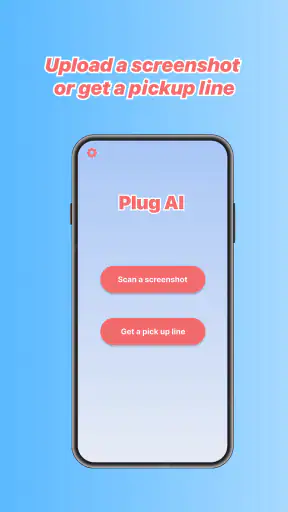
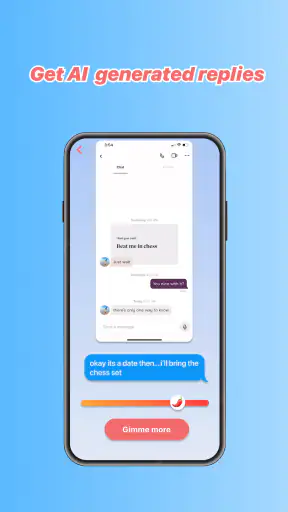
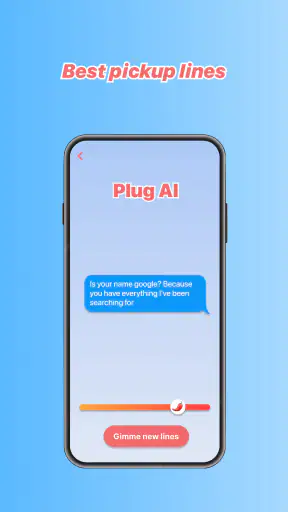
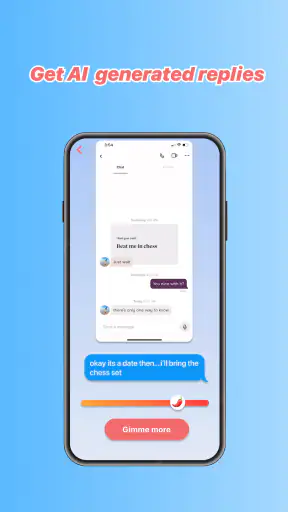
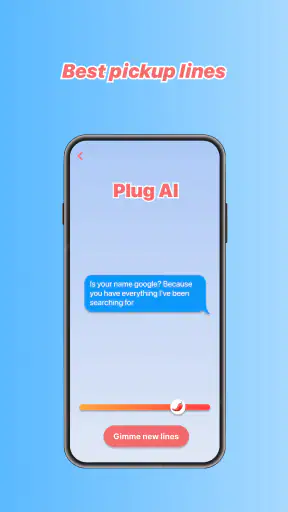
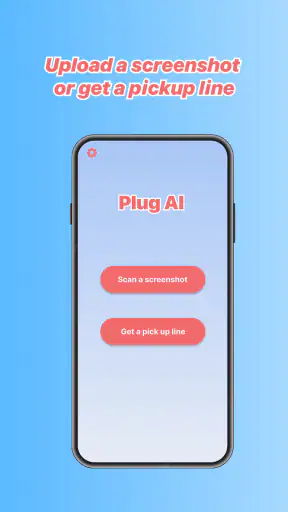
I tried Plug AI: Texting Assistant as a practical companion for dating conversations rather than treating it like a magic answer generator. Its main promise is simple: when a message leaves me staring at the keyboard, it helps me find a possible reply. That makes it appealing for anyone who wants a little support with tone, wording, or confidence, especially when a match’s message is ambiguous.
The app sits in the lifestyle category and is developed by Vert Media Partners. It is free to install, with optional purchases priced at $4.99 per item, and its mature age rating of 17+ makes sense for a product centered on romantic conversations. It runs on Android devices using version 5.0 or later, while the current release is 1.2.0. I would describe it as a conversation aid, not a replacement for personality, judgment, or genuine interest.
From an awkward message to a usable reply
Starting with the real problem
The most useful way to approach Plug AI is to begin with a specific texting problem. A vague request such as “help me date” is unlikely to produce something that feels personal. A better starting point is a message that creates friction: a short answer that is hard to interpret, a question that deserves more than a one-word response, or a promising conversation that has suddenly gone flat.
In my workflow, I first decide what I want the reply to accomplish. Do I want to keep the conversation moving, show interest without sounding intense, clarify plans, or recover from an awkward exchange? That small decision matters. Without it, an AI assistant can give me polished wording that still misses the emotional point.
This is where the app can be more useful than searching for generic dating advice. Instead of reading broad tips about confidence or flirting, I can focus on the exact conversational handoff in front of me. The value comes from turning a moment of hesitation into a few possible directions.
Putting the conversation into context
The quality of an AI-generated suggestion depends heavily on the context I provide. A single sentence rarely communicates the relationship, the previous tone, or the reason I am replying. I get better results when I include the relevant part of the exchange and explain the intended mood in plain language.
For example, I might describe a match who has been playful but now replies briefly. I can ask for something warm and low-pressure rather than an overconfident line. In another situation, I may want to answer a direct question while keeping boundaries clear. The more precise my goal, the easier it is to judge whether the proposed wording actually fits.
One practical habit is to remove unnecessary personal details before using any assistant. Names, phone numbers, workplace information, private locations, and identifying screenshots do not improve most writing suggestions. Keeping the input focused on the text and the situation makes the process safer and usually makes the output easier to evaluate.
Reviewing the suggestion instead of copying it
Plug AI works best when I treat its response as a draft. The first suggestion may be grammatically smooth but emotionally wrong for me. It may sound too enthusiastic, too formal, or more flirtatious than the conversation justifies. Reading it aloud is a quick test: if I would never say it to a friend, I should not send it to a match simply because it looks polished.
I also look for questions that feel manufactured. A reply can technically continue a conversation while making the other person do all the work. If the suggestion asks something broad or predictable, I prefer to replace it with a detail connected to what the other person actually said. The app can help with structure, but I still need to supply the human attention.
A useful editing pattern is to keep one part of the generated draft and rewrite the rest. I might preserve a concise opening, then add my own reaction and a specific follow-up. This avoids the overly finished tone that can make AI-assisted messages feel impersonal.
Making the handoff back to the dating app
The important handoff is not from one AI screen to another; it is from assistance back to a real conversation. I need to move the draft into the dating service or messaging app I actually use, check that the wording still makes sense in that thread, and send it only after considering how it may be received.
That extra step is easy to underestimate. A suggestion that looks appropriate in isolation may repeat something already said, ignore a recent change of subject, or accidentally imply plans I did not intend to make. I recommend rereading the last several messages before sending anything, particularly when the assistant has helped with a sensitive topic.
This handoff also reveals one of the app’s central trade-offs. It can reduce the stress of composing a message, but it does not remove the responsibility of communicating honestly. If I use it to pretend to have interests, feelings, or experiences I do not have, the short-term convenience creates a larger problem later.
What a successful result looks like
A good outcome is not necessarily an immediate date or an enthusiastic reply. For me, success means sending something that sounds like me, answers the other person clearly, and gives the conversation a natural next step. Plug AI can contribute to that result by helping me get past the blank screen and consider wording I might not have found quickly.
Imagine a realistic evening scenario. I have matched with someone who mentions enjoying local food, but I am unsure how to respond without turning the exchange into an interview. I can use the assistant to explore a casual reply, then replace its generic question with a specific restaurant or dish I genuinely like. The final message may be influenced by the tool, but the useful detail comes from my own experience.
That distinction is important. The app is strongest at reducing drafting friction. It is weaker when I expect it to create chemistry from nothing. If the conversation has no shared detail, no reciprocal effort, or no clear interest, a better sentence will not solve the underlying issue.
Handling tone, boundaries, and difficult moments
Dating messages are not all playful. Sometimes I need to decline an invitation, say that I am not interested, ask for clarity, or respond to a message that feels too personal. In those situations, an AI assistant can be useful for finding language that is direct without being unnecessarily harsh.
I would still be cautious about asking it to make a high-stakes judgment for me. Whether someone is trustworthy, whether a situation feels safe, or whether I should meet in person cannot be decided by a polished reply. The app may help phrase a boundary, but my own comfort and safety have to control the decision.
There is also a difference between sounding confident and sounding dismissive. When editing a generated response, I check whether it leaves room for a respectful answer and whether it accidentally invites more contact than I want. A short, clear message is often better than an elaborate explanation.
Where the workflow becomes frustrating
The biggest weakness is the gap between fluent wording and authentic voice. AI tends to smooth away the small imperfections that make a message feel personal. If I accept every suggestion unchanged, the conversation can begin to sound like a sequence of carefully optimized lines rather than two people getting to know each other.
Another limitation is that the tool cannot reliably understand all the context behind a relationship. Sarcasm, inside jokes, cultural references, and subtle changes in interest may not survive a short prompt. Even when the wording is technically appropriate, the emotional timing can be off.
The free entry point makes it easy to try, but the optional $4.99 purchases mean I would pay attention to how often I actually use the assistance before spending money. Someone who only needs occasional help may find the basic experience sufficient, while a frequent user should consider whether the added value justifies repeated purchases. I would not pay simply to avoid thinking through messages myself.
The app’s overall reception also calls for realistic expectations. It has more than a million installs, yet its average rating is 2.4 from around four thousand ratings, with roughly two hundred written reviews. I see that combination as a reason to test the workflow personally rather than assuming popularity equals reliability. A large audience shows interest, but it does not guarantee that every user will like the output or the app experience.
Who should use it, and who should skip it
I think Plug AI is best suited to adults who already know what they want to say but struggle to shape it. It can be particularly helpful for people who overthink first messages, want to soften a difficult response, or need a few alternative tones before choosing one. It may also help users who are communicating in a language that is not their strongest, provided they carefully check that the final wording still sounds natural.
I would skip it if I am looking for a complete dating coach, a matchmaking service, or a tool that can interpret another person’s intentions with confidence. It is also a poor fit for anyone who wants every message written automatically. Dating becomes exhausting when the assistant takes over the entire exchange, and the other person may eventually notice that the voice does not feel consistent.
People who value privacy above convenience should be selective about what they enter. I would use short, edited excerpts rather than handing over an entire conversation, especially when it contains information about another person. That approach limits exposure while preserving the language problem I actually want help solving.
How it compares with ordinary alternatives
The usual alternative is simply to write the message myself, perhaps after asking a trusted friend to read it. That option is slower but often better for emotionally important conversations because a friend knows my personality and can challenge a message that does not sound like me. Plug AI is faster and available when nobody else is around, but it cannot provide the same personal context.
General writing assistants may be better for grammar, spelling, and clarity across many kinds of communication. Plug AI has a narrower purpose, which can make it more convenient when the problem is specifically a dating reply. The trade-off is that a specialized prompt does not automatically mean better emotional judgment.
Dating advice articles and videos are useful when I want to understand patterns, boundaries, or communication principles. They are less useful when I need to answer one particular message right now. I see Plug AI as a drafting layer between those options: more immediate than general advice, but less thoughtful than a real conversation with someone who knows me.
My final assessment after following the full flow
Plug AI: Texting Assistant is a focused lifestyle app that can make the first step easier: turning an awkward or uncertain message into a draft I can improve. I like it most when I use it sparingly, give it a clear goal, and rewrite the result in my own voice. The complete workflow—from identifying the problem to checking the final handoff—matters more than the generated sentence itself.
Its weaknesses are equally clear. It cannot manufacture mutual interest, understand every social nuance, or take responsibility for sensitive choices. The low average rating makes me cautious, and the paid items mean regular users should judge the value based on their own frequency of use. Still, for an adult who occasionally freezes over a dating message, it can be a convenient second opinion.
My recommendation is to install it with modest expectations. Use it to explore tone, shorten an overlong draft, or find a respectful way to express a boundary. Then put the phone down and make the final message yours. The best result is not a perfect AI line; it is a clearer, more honest conversation.


